1 Game a Week – Week 6

This weeks game went quite well! I was able to implement a game mechanic that I’d previously thought of as being quite complex: displaying the future positions of a physics object. In this case, I display the orbital trajectory of the spacecraft that the player is controlling. But I’m getting ahead of myself, I should start at the beginning of the week.

At the start of the week I had no idea what I was going to make. I spent some time looking through itch.io, trying to get inspiration. I decided that I wanted to make a puzzle game, and I had only watched The Matrix movies over the weekend. So I decided that I was going to make a hacker puzzle game. After a day of working on it and coming up with ideas, I had this to show for it…
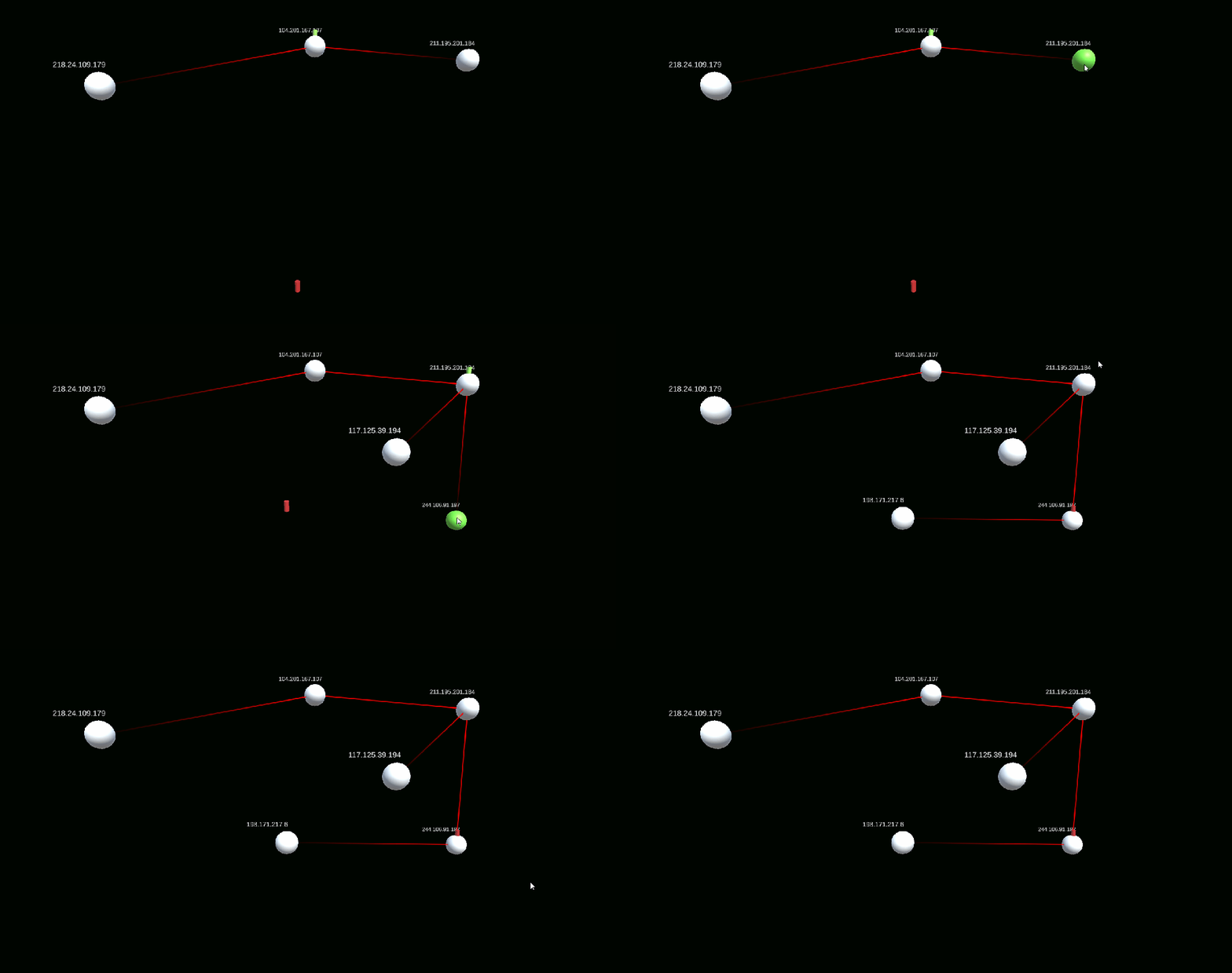
GOTY????????

So, I realize I’m not having fun, I don’t really have a solid vision for the game, and I don’t actually want to make… whatever this is. It’s still early in the week, and thankfully (or unfortunately?) at this point I’ve had enough experiences like this where I know the best thing to do is scrap the prototype and make something new. No Sunk-Cost Fallacy over here.

I then decide to look through Adriel Wallick’s 1 Game a Week blog for some inspiration. Her blog and this GDC talk by her was recommended to me by Rami Ismael (@tha_rami), and is what inspired me to start making a game a week in the first place!

One game that stood out to me was her game on Week 45 (I don’t think I’ll be doing 1 Game a Week for that long!) – I liked the idea of making a space game using gravity around planets, and the trails that Adriel added to her game looked really cool. I also tried (and failed) to make a gravity based game last year, so I decided I’d give it another shot. I then thought about one of my favourite games ever: Kerbal Space Program.

In KSP, when you are orbiting a planet you can see your future trajectory. I felt that it would be cool to make a super stripped down version of this mechanic, where you have a ship in 2D, and you need to perform orbital maneuvers to enter a specific orbit.
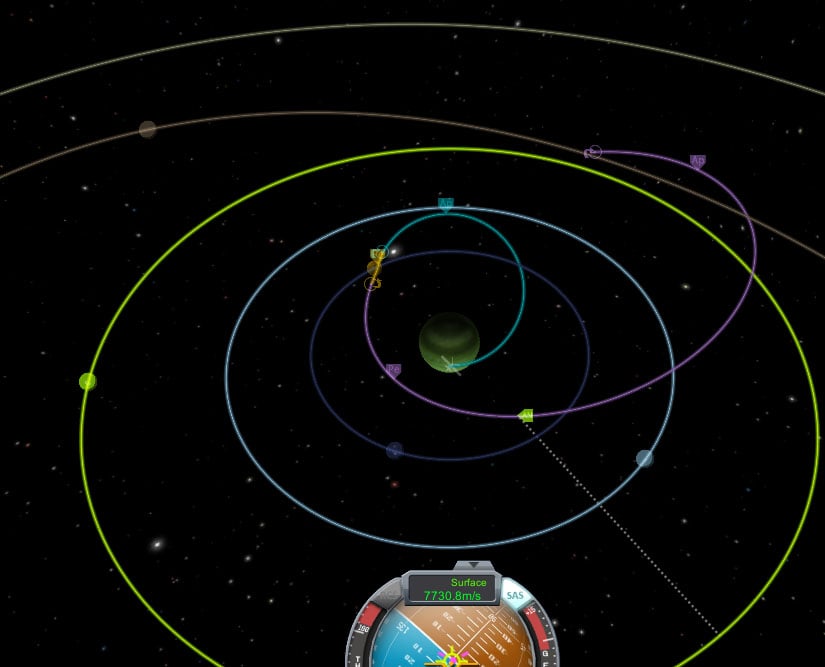
KSPOrbits
Orbital mechanics in KSP. Found on: studiosity.com, Source: KSP Forums

So I started making the new game in the same codebase as the last one, because I had to get the game done before the end of Friday. I first setup the code to apply gravity to objects in the scene. That was very simple to do, I just implemented the formula I found here and implemented it in code like this:

public Vector2 CalculateGravity(Vector2 otherPosition)
{
    Vector2 dir = ((Vector2)transform.position - otherPosition).normalized;

    float distanceToSurface = Vector2.Distance(transform.position, otherPosition) - m_radius;

    float gravity = m_surfaceGravity * Mathf.Pow(1 + distanceToSurface, -2);

    return dir * gravity;
}

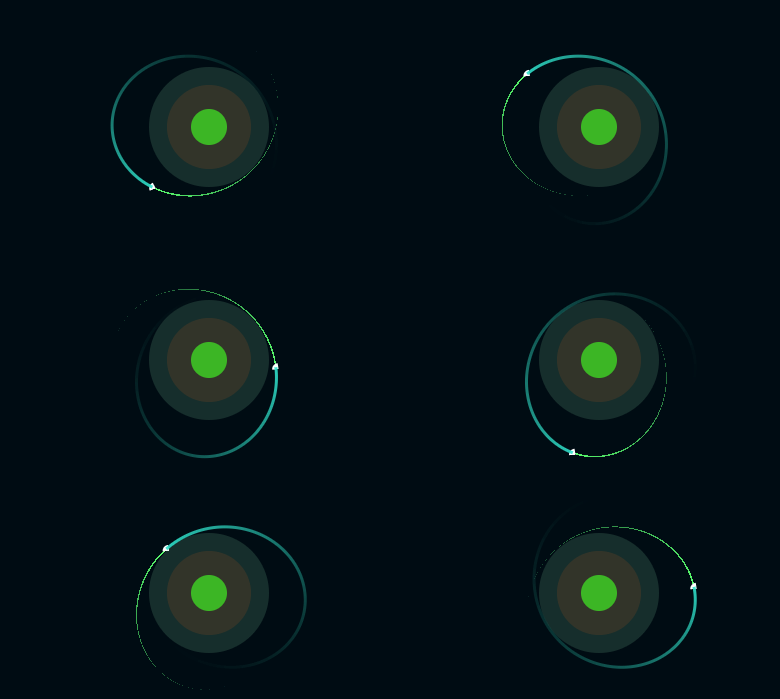
The hard part was actually adding in the orbital prediction itself. I thought of a few ways to do it, but it turns out that you can now create separate Physics scenes in Unity. This is great, because I can create a new Physics scene, copy over the objects I want to get the trajectories from, run the simulation on the scene and then track the positions of the objects over each step. It took me about a day (and a lot of hacky code) to get it working since I’d never used this Unity feature before, but I got it working in the end! Unfortunately the code was a total mess, but it worked for the purposes of just getting this game done.
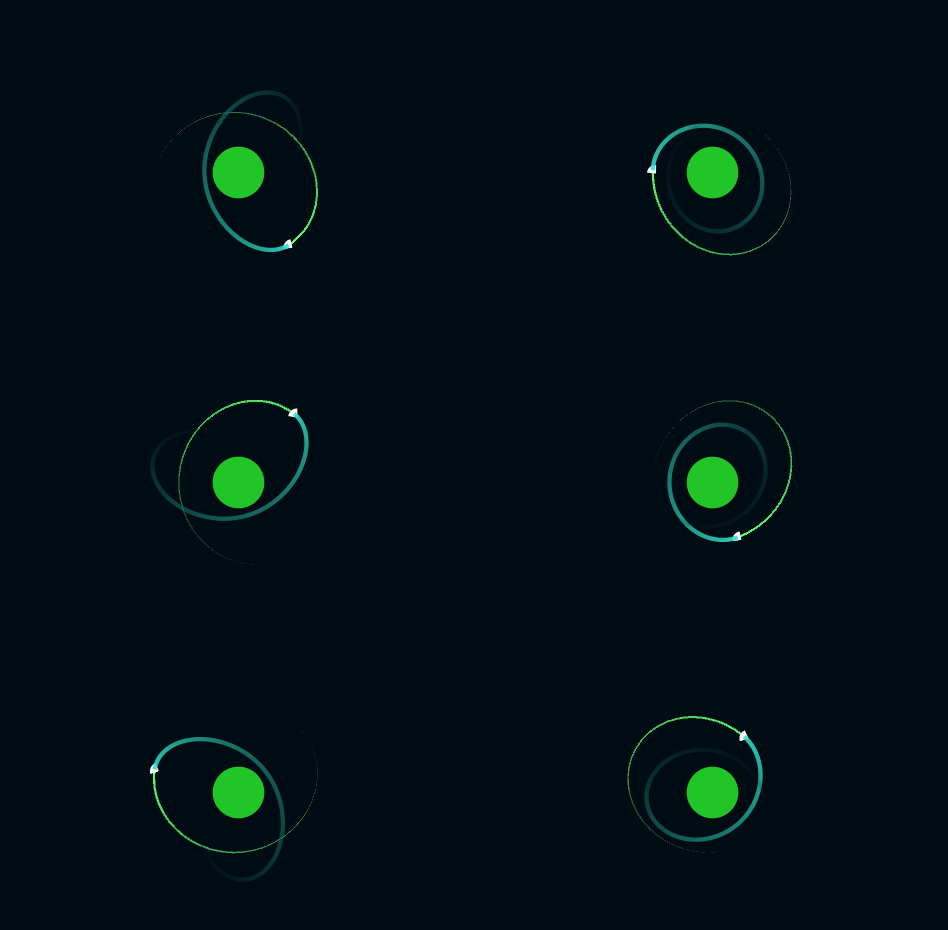
An issue with the orbit prediction feature that was a nightmare to debug

I then had the great idea of adding in an editor function where I can place objects in the scene and then see their orbital trajectory without going into Play Mode. I spent way too long on this and ran into some walls. One of which was the fact that you apparently can’t create Physics scenes in Edit Mode, which meant I had to hack together some solution to prevent existing objects from being simulated. I even asked for help on Twitter, but unfortunately nobody seemed to know the answer…

The plan was that by adding this editor feature, I’d be able to build and iterate on levels more quickly. I once again remembered my own warning with the Sunk-Cost Fallacy, and abandoned the feature. I then added in the asteroids, the bullets, and then the Delta-V and Ammunition systems. Stuck together some basic levels, and got the game finished just before midnight on Friday. I actually finished the game on Friday for once! 🥳

Gameplay of the final game!

What went well

  • I was able to finish on Friday for once! (and played Deltarune over the weekend!)
  • I made a game that I thought was fun to play, and has potential.
  • I learned how to use Unity’s Physics Scene feature to make predictions.
  • I got better at writing “quick code” to get features out for prototypes

What could have gone better

  • I could have spent way less time trying to add the unnecessary editor feature.
  • I could have had a game idea that I wanted to make ready to go on Monday.
  • I would have liked to add sound effects or music, but ran out of time.
  • I would have liked to write this post-mortem on Friday, instead of Sunday night.
  • More levels would have been nice too, but once again I ran out of time.

What I learned

  • I learned more about Unity’s physics system and how it can be leveraged to make certain game mechanics.
  • I learned how fast I can code features for a short game by cutting programming best practices. (But I still know how to use best practices for “real projects”!)
  • I learned how important it is to work on a project I’m excited about, for my motivation and ability to design the game as I go

Summary

Overall, this is my favourite game so far! I’m really happy that I was able to add the orbit trajectory mechanic as I enjoyed figuring out how to implement it, as the solution isn’t immediately obvious.

Not many people have played the game as of writing this, and I haven’t really gotten any feedback. I have some ideas on how I’d improve the game to make a full version, and if enough people like it, I’d definitely spend a few months making a full game.

As always, if you want to try out the game, the link is right here:
1 Game a Week – Week 6

Park your orbiter while avoiding space debris

Available now to play on your browser

If you wanna play around with the code, I also have a link to the GitHub repo if you click here!

1 Game a Week – Week 5

This week I returned to the familiar development environment of Unity, and so I wanted to do something a bit more ambitious with my game. Unfortunately, I didn’t get to spend as much time on the game as I would have liked over the week, and I ended up once again working on the weekend.

I didn’t quite know what I wanted to make this week, so I really just began to wing it, making whatever I thought would be cool at the time. I started by installing Shapes, which is an excellent vector-based drawing asset by Freya Holmér. I played around with it a bit, and ended up making a dog character. I really can’t overstate how great it is to be able to just make simple graphics inside of Unity instead of a workflow where you create something in an external program and import it. Obviously it wouldn’t work for larger games, but for my purposes it was perfect!

A pack of doggos

I then had to setup player input. I wanted to try adding controller support, but doing that using the normal Unity input system is a little bit inflexible. This seemed like a great opportunity to learn how to use Rewired for the first time, as I’m aware it’s used in a lot of larger Unity projects. Setup was quite simple, and I was then able to move the dog character around the screen using both keyboard and controller!

The doggo be moving

After adding the basic movement and animating the character, I realised that I needed some way for the doggo to interact with the environment. As everyone knows, dogs love to bark. I hooked up the A button and Spacebar to a bark action, added a bark sound effect, and then for extra juice, added some text that appears each time the dog barks.

I also added in some rocks and grass to the level, footsteps on the doggo, and then realised that we need something to bark at. I did a quick search for dog occupations, and came across herding dogs! It made sense that this was going to be a sheep herding game. However, I’m not a great artist, so the sheep ended up looking like rabbits. So they’re sheeprabbits, or rabbitsheep. This is canon now.

High intensity herding gameplay

At this point I was happy to have some interactivity in the game. I was thinking how cool it would be to make something kind of like Untitled Goose Game, where you can go around and bark at different people and animals, and see their different reactions. Then I remembered it was Saturday night and I need to finish the game tomorrow.

On Sunday I was really not in the mood to work on this. While I was happy with what I had made so far, there wasn’t really a game. So I made some wooden fences, set up a pen, and got to work on some glue code to get some semblance of a game structure together. Originally I was planning on making a few levels for this, but to be honest, the game just wasn’t fun once I had the first level working. I spent so much time on animating the characters and making them feel like they have a personality, but the gameplay just wasn’t there. On top of that, I couldn’t get the WebGL build to work. The game would freeze every few seconds, and there were strange visual glitches. I didn’t have the energy to fix this. So I called it a night, finished up the game and published it. It takes a minute to beat.

Gameplay of the final version

What went well

  • I was able to add personality and detail to the dog and sheeprabbit characters
  • I think movement felt good, and the game looked nice visually
  • I was able to “wing it” and make a game without planning much at the start

What could have gone better

  • I worked weekends again 😬
  • I underestimated how much time it would take to make the characters
  • I didn’t use my time as efficiently as possible. I had fun characters, but no game
  • The gameplay is a bit janky and uninteresting
  • The characters get stuck on walls a lot
  • The WebGL build didn’t work, so almost nobody is going to bother downloading this game
  • The playtime is about a minute or two, and isn’t very enjoyable

What I learned

  • I learned how to setup Rewired for keyboard and controller input
  • I learned how to use Shapes for making assets quickly in-engine
  • I learned how important it is to have the game structure working first, before adding in animations or extra details.
  • I learned to start trusting Unity’s physics system more for movement instead of trying to roll my own

Summary

Overall, this game is one that I have mixed feelings on. On one hand, I felt like it had a lot of potential. I started off with a cool character, a cool 2.5D art style and some ideas floating around in my head for what this was going to be.

Due to time constraints, overscoping and a lack of a clear design, it really fell flat from what I wanted it to be. I think if I had another week I could have made something pretty good, but that goes against the spirit of trying to make one game a week. Maybe once I start doing one game a month I can revisit this game and give it the treatment it deserved.

As always, if you want to try out the game, the link is right here:

1 Game a Week – Week 5

A short sheeprabbit herding game prototype

Available now on Windows

If you wanna play around with the code, I also have a link to the GitHub repo if you click here!

1 Game a Week – Week 4 (Stop Waiting for Godot Game Jam)

This weekend the Stop Waiting for Godot Game Jam is taking place. I was away for most of the week, so this seemed like the perfect opportunity to learn some Godot, make my 1 Game a Week game, and participate in a game jam all at the same time!

So with all of my excitement and ambition, I made a game where you eat your own shit and die.

I regret nothing

Why did I make this, when I could have made anything else? Well first, I tried to implement footsteps. When I tested them, I thought it looked like the slime was shiddin’. Then I thought it would be funny to add a fart sound. Then I realized that the game was basically designing itself. Now this game exists.

What went well

All joking aside, I actually like the game. I actually got to make a fun unique idea (although the idea of “eating” games isn’t original). It’s very simple (which is aligned with the game jam theme to “Keep it Simple”), and it’s kinda fun actually. I think if I wanted to expand the idea I’d like to add powerups like stomach medicine that stops you from shiddin’ for a few seconds. Maybe you could even pick up a bucket that lets you clean the shid from the level? There could even be a spoiled food hazard that makes you shid at twice the rate. But thankfully, I stopped at the game MVP.

What could have gone better

Honestly, a lot could have gone better. If I had a better idea I would have made it. I actually scrapped my first two ideas (a Pong clone and Sokoban clone) because I found implementing them boring, and I hadn’t quite gotten my head around Godot, so the code was a total mess.

This is a lesson I learned while making SPROUT. In a game jam, it’s sometimes worth dropping and restarting if the idea you’re making isn’t panning out. Thankfully the fart noises and the pure concept of this game entertained me, so I was able to find the motivation to finish the game this weekend. Next weekend I’m doing nothing and I’ll have my game finished for Friday 100% definitely.

Also, if I wasn’t making this game for 1 Game a Week, I actually would have given myself Monday to polish it too. But here I am, sticking to my deadlines. So the game definitely could have had more content or polish, but I’m pretty tired of working weekends.

What I learned

I learned a ton! How to make a simple game in Godot being a start, which was the point of the jam. I also feel like I’m starting to re-learn how to write code quickly to prototype mechanics. For a long time I’ve been focused on writing “good code” that takes ages to complete, but now that I’m making games in shorter time frames again I find myself getting used to the idea of making something quick and dirty.

While I’m not a huge fan of GDScript (or dynamic languages in general), I do like how I was able to setup input and movement code with very little difficulty. Also, the fact that Godot has a “move_and_slide” method that handles collisions and sliding against objects for you is absolutely fantastic. I’ll need to get something like that for Unity. I don’t want to spend a week on basic platformer mechanics again…

From a game design perspective, I also feel like I’m learning how important audio and sound is to an experience. This is carrying on from my experience with last week’s game where I played around with audio to make an underwater ambience scene. Adding a fart noise sent me down a path where I had fun and made this. So the context of the game led me down the path to developing these gameplay mechanics, instead of me coming up with the mechanics first.

Summary

I think the main thing I want to take away from this game is that I should give myself more room to make weirder projects. I should just throw shid at the wall and see what sticks. In saying that, I don’t want to make any more shid related games for the time being.

I’m looking forward to next week! I’ll take Monday off, but will give myself 4 days to make my next game. I think I’ll try to be weird with it, and will try to iterate more. I’ll also be back to Unity, so I’ll be in familiar game dev territory.

Thanks a lot for reading my post-mortem on my 1 Game a Week / Stop Waiting for Godot game!

As always, if you want to try out the game, the link is right here:

1 Game a Week – Week 4

eatin, shiddin and fardin

Available now to play on your browser

If you wanna play around with the code, I also have a link to the GitHub repo if you click here!

1 Game a Week – Week 3

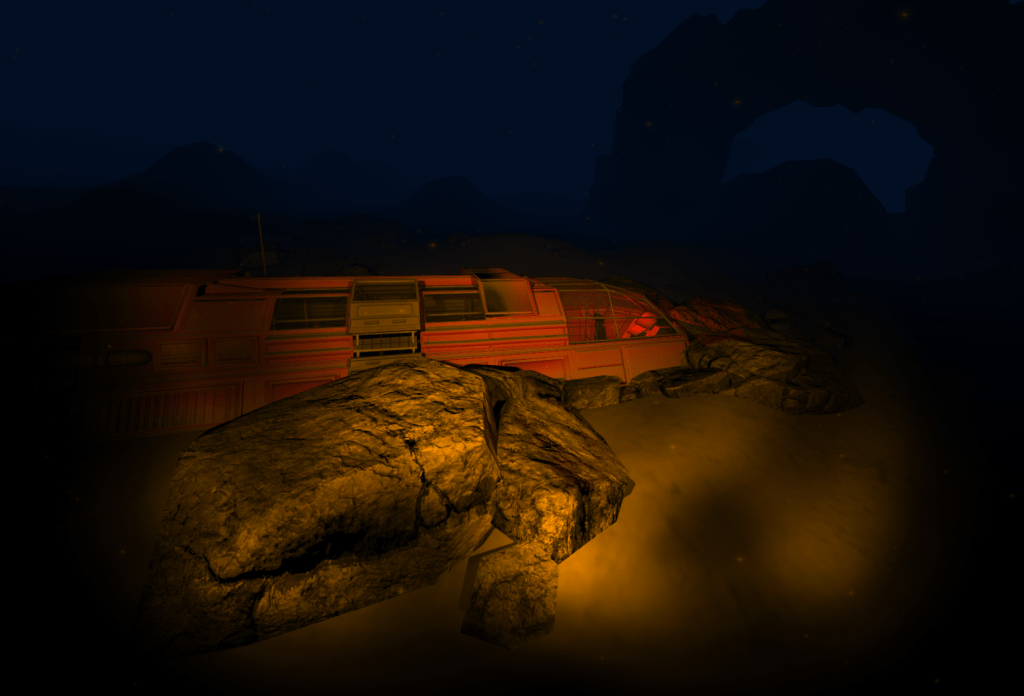
This week I might be stretching the definition of “game”. While what I made certainly has controls, there’s no real goal to the game or mechanics outside of “if you crash your submarine into terrain, you bounce back”.

So yes, this week I made a small level prototype just to play around with Unity’s lighting and fog settings, as well as just trying to get a certain feel in a level without relying on mechanics. It’s not something I do usually, but earlier in the week I was playing around with the Skyrim Creation Kit and I wanted to do something level design-y.

“Gameplay” of the prototype

What went well

I’m happy that I was able to make something that looks and sounds like an underwater environment. If I had more time and motivation I would have pushed it further. For the time I spent on this small project, I’m happy with the atmosphere it exudes.

What could have gone better

As I mentioned earlier, I spent a good few days earlier in the week doing the tutorials for the Skyrim Creation Kit to change pace from programming. When I started work again on 1GAW on Friday, I realized I once again hadn’t really taught up a game idea. This meant that I was just playing around in Unity aimlessly until I came up with something material. I then picked something I wasn’t super sure of or passionate about, and this is what I got out of it.

Also the lighting broke when I tried to make a WebGL build, so I had to resort to a Windows only build. I’m sure I could have figured it out, but I don’t think it’s worth it for a throwaway project like this.

What I learned

I learned how to write a simple 6DOF character controller with Unity’s Physics Engine. It was nice to actually have a use case to use the built in physics for a character controller. I’d like to play around with vehicle gameplay another week when I give myself more time.

I also learned how important sound design and VFX are for making a game space feel real. Mechanically, all that’s happening is I have a bunch of BoxColliders attached to a Rigidbody that moves around a space with a lot of drag. But adding in the particle effects and dark lighting really makes it feel like the character is underwater. I could probably replace the assets with space assets and not change the controls, and the player would feel like they’re flying a (very slow) shuttle.

Summary

Overall I’m happy with what I got out of my limited amount of time spent on this project. It’s definitely not a game I would recommend anyone play, but I’m now a bit more interested in learning how to make game spaces more immersive and interesting for players.

Thanks again for reading my post-mortem!

If you want to try out the game yourself on Windows, the link is right here:

1 Game a Week – Week 3

Tiny level atmosphere test prototype

Available now to download for Windows

If you wanna play around with the code, I also have a link to the GitHub repo if you click here!

1 Game a Week – Week 2

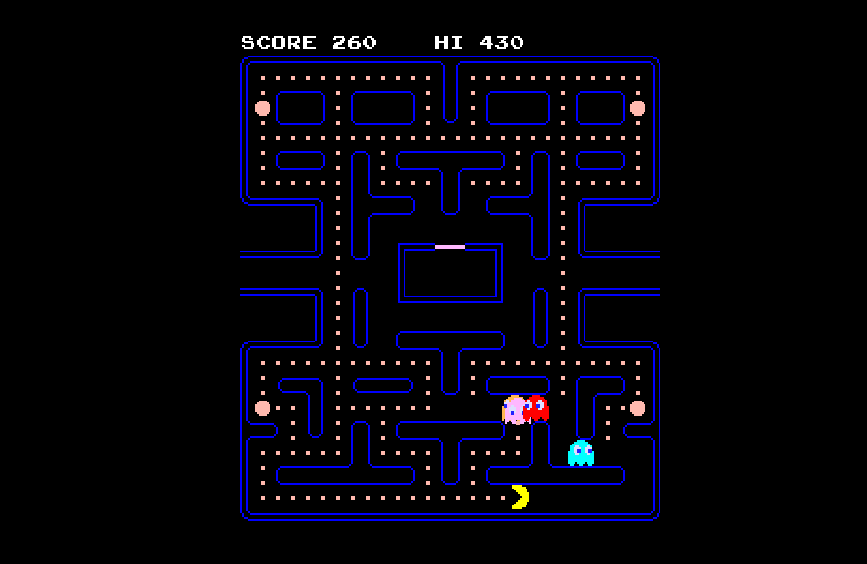
Today I finished my second game as part of 1 Game a Week! This week, I decided that I wanted to create a Pac-Man clone. The reason I did this is because I wanted to learn more about how game AI is programmed and how it fits into the design of the game. Pac-Man also works on a grid, and that meant I wouldn’t have to spend a week struggling with collision detection code.

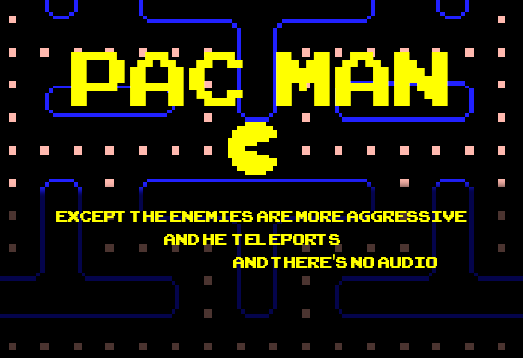
Yep, that’s Pac Man (except the enemies are more aggressive and he teleports and there’s no audio)

Just like last week, this post will be my reflections on making this game. I’ll be talking about what went well, what could have gone better, and what I learned.

Wait, you literally just made a Pac-Man clone?

Well, not quite. I like to officially call this version of the game “Pac Man except the enemies are more aggressive and he teleports and there’s no audio”. The enemies are more aggressive because unlike the original game, the enemies don’t back off and then return to attack in waves. They are always in “chase” mode.

The “Power Pellets” also function differently. Instead of giving Pac Man the ability to eat the ghosts for extra points, they teleport him to the next pellet around the board in a clockwise direction. This means that Pac Man is always running from the ghosts. The idea of turning the tables against your enemies is not present in this version, when it’s a core mechanic of the original game.

And yes, I didn’t have enough time to implement audio. Hence the title of the game.

What went well

I wanted to learn more about how a game’s AI changes the feel of the game. Playing around with the ghost AI during development was interesting, as I could see how changing the AI behavior affected gameplay. For example, adding Inky into the game gives you situations where he will try to get ahead of you and cut you off from the other side of the tunnel. Adding in Clyde will give you situations where you can play chicken against him, because you know he’ll flee to the bottom left corner once he is within 8 tiles of Pac Man. I found it fascinating that these simple AI rules gave the game a feeling of life.

https://upload.wikimedia.org/wikipedia/en/5/51/Pacman_title_na.png
The original Pac-Man character list. Image courtesy of Wikipedia (source)

What could have gone better

At the start of this week I really wasn’t feeling up to design and I wanted a quick win. I thought remaking Pac Man in 2 or 3 days would be super easy. I was wrong.

Although the game logic wasn’t that complicated, I wasted a lot of time adding in the art assets and implementing things in a non optimal way. I did things such as placing and sorting the tiles manually in the hierarchy so they would be indexed correctly in the Level class, which kept track of the coordinates of each tile. I then manually copy and pasted the pellets, or manually changed the sprites of each wall tile in the level. A lot of this was just busywork, when I could have used something like Unity’s 2D Tile Based Editor to setup the level.

The other thing that could have gone better was thinking more about design up-front, and scoping my time so I don’t work on weekends. Because my goal was to essentially remake Pac-Man, I didn’t think about design until I needed to cut features to make the game by the end of the week. In this case, I cut the wave based AI and Power Pellets. I don’t think teleporting is a great mechanic, and it was honestly just the easiest twist I could implement at that time.

As for working weekends, I find myself pretty tired after working on this game, especially considering I worked last weekend to finish my game last week. Next week, I’m planning on working on something with a tiny implementation scope, but an interesting game design.

What I learned

I had the opportunity to reacquaint myself with some Unity features. Specifically the Mecanim animation system. I also learned that sometimes it’s worth slowing down and learning a new system rather than brute forcing a solution. Specifically, learning the 2D Tile Level Editor instead of hand-placing the tiles and sorting them in the hierarchy.

While I didn’t design this game, since it was already developed by Namco in the 80’s, I did gain some design insight while developing the game. As I mentioned earlier, seeing how the gameplay changes as the different AIs are implemented gave me an appreciation for how simple AI can improve a game. Mark Brown’s video on Pac Man and gameinternals.com were both hugely beneficial resources to have while trying to replicate the AI behavior.

I also learned how important good art assets are for changing the feel of the game. I could have shipped the game with the following programmer art, but I don’t think it would have the same emotional response:

Early version of the game with a simpler art style. Still clearly Pac-Man

I think from this, I want to explore game AI a bit more. I’d also like to see if I can make my own simple art for my next game, to see if I can get a specific emotional response out of it.

Conclusion

As always, thanks so much for reading my post! The game link is available here if you want, along with the source code below.

1 Game a Week – Week 2

Pac Man except the enemies are more aggressive and he teleports and there’s no audio

Available now to play on your browser

Source code: https://github.com/Reccy/1GAW_2

1 Game a Week – Week 1

Today I finished my first game as part of 1 Game a Week! It’s not much, just a small platformer prototype, but I’m glad I got it done (especially considering the trouble I was having with one last bug). I learned about 1 Game a Week during a short consultation with Rami Ismail (@tha_rami), where he told me that it’s one of the best ways to improve one’s game programming skills. As someone who is trying to improve his skills to get into a game programming position, this felt like the perfect challenge!

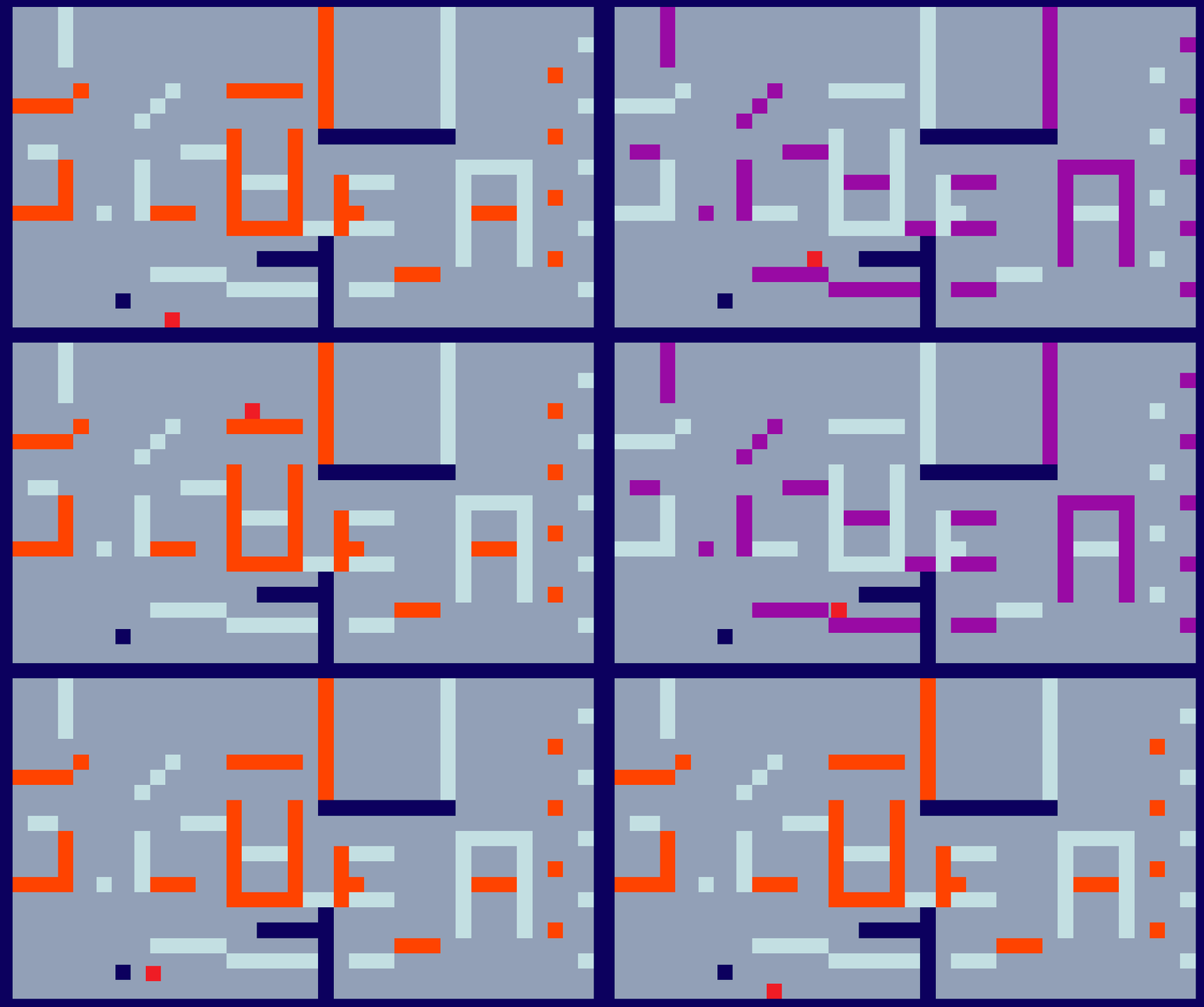
The level once the player starts the game. The active layer is orange.

This is going to be a short post mortem where I describe what went well, what could have gone better, and what i learned. But first, some background on the game itself.

What is this game?

This untitled game is a basic 2D platformer prototype. The mechanic twist is that there is an active and inactive layer in the level, and the player character can swap the layers each time they jump. The original idea was that it would setup situations where the player couldn’t rush their way through the level, but they had to think ahead of what jumps they’d have to make. The original idea also included having the inactive layer get swapped out with a different layout when a goal was reached, so that the level would evolve over time. However I barely got this demo level finished, so I didn’t have time to implement the other mechanics.

Gameplay demonstrating the layer swap mechanic

What went well

I’m glad that I finished something playable before the end of Sunday, considering my motivation on Friday was quite low. Thankfully I was able to force myself to get something done by the deadline!

My main goal was also to actually program a collision detection and resolution system for a 2D platformer instead of relying on Unity’s 2D Physics System. I accomplished this, although it only works for AABB colliders. I wouldn’t have been able to do it without this video from OneLoneCoder.

What could have gone better

I think I could have managed my time better. I spent waaay to much time trying to get the collision detection working perfectly, and even then I only got the last major bug fixed an hour before writing this post mortem. Ideally, I would like to finish up games on the Friday instead of on the weekend so that I don’t burn out.

I also should have also had a stronger game design idea coming into this project. I really just wanted to program the collision detection system, but that’s just basic tech there to support the gameplay. In this game’s case, there isn’t really any gameplay other than jumping around the level and trying to break my collision system (please don’t!!!).

What I learned

I learned how to write collision detection and resolution for a basic 2D platformer! I also learned how important it is to have an actual game idea coming into the project at the beginning. Next time, I’ll focus on the game design first and then build the systems around that, instead of deciding to “make a 2D platformer”.

Summary

If you got this far, thanks a lot for reading my first post-mortem! If you’re interested in more prototypes, I’d love if you stuck around for next week’s game (which I hope will go a lot better than this one).

And of course if you want to try out the game yourself on a computer, the link is right here:

1 Game a Week – Week 1

Platformer Prototype

Available now to play on your browser

If you wanna play around with the code, I also have a link to the GitHub repo if you click here!